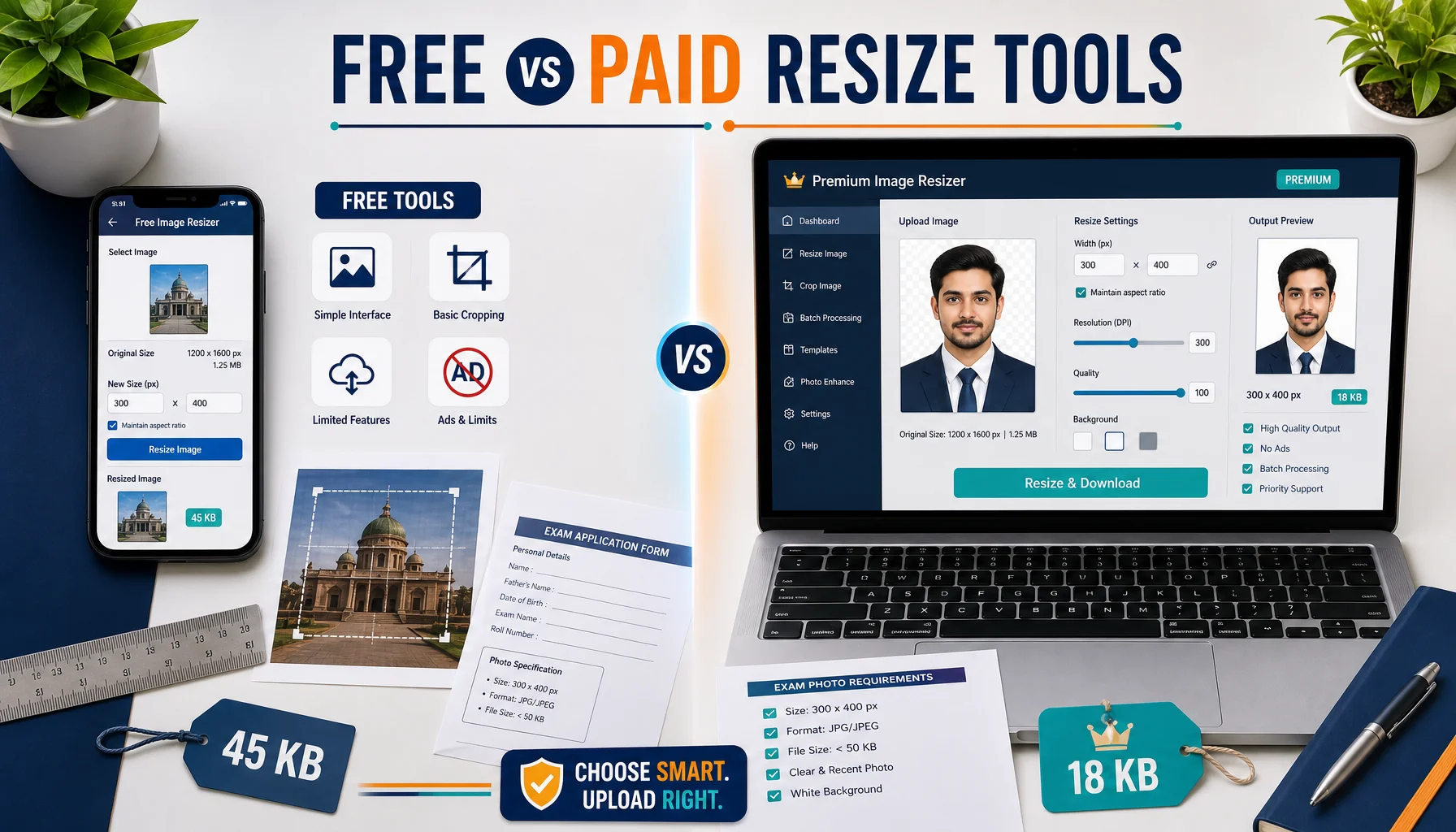
Every year, millions of students apply for government exams like SSC, UPSC, IBPS, and Railways. And every year, thousands of applications get rejected—not because of eligibility issues, but because of a simple technical mistake: an incorrectly sized photograph or signature. Exam portals are notoriously strict about image dimensions, file formats, and file sizes. A photo that’s a few kilobytes too large or a signature that doesn’t fit within the specified pixel range can cause your upload to fail at the last minute.UPPBPB
This is where image resizing and cropping tools come to the rescue. But should you rely on a free online tool or invest in a paid solution? In this article, we’ll compare popular free and paid image resize tools, evaluating them on accuracy, privacy, and ease of use—specifically for exam form submissions.
Why Image Resizing Matters for Exam Forms
Government exam application portals typically have rigid requirements. For example, a photograph might need to be:
- Between 20 KB and 50 KB in size
- Exactly 200 x 230 pixels in dimensions
- In JPEG or JPG format only
Signatures often have even tighter constraints, such as 10 KB to 20 KB and dimensions like 140 x 60 pixels. If your image doesn’t meet these specifications, the portal will reject it instantly. This makes precise resizing and cropping essential—not optional.SSC Prepare
The Case for Free Image Resize Tools
Free online tools are the go-to choice for most exam applicants, and for good reason. They’re accessible, require no installation, and can be used from any device with an internet connection.
Advantages of Free Tools
- Zero cost: Perfect for students on a tight budget who only need to resize images occasionally.
- No installation: Most run directly in your browser, saving storage space.
- Exam-specific presets: Many free tools (like dedicated exam image resizers) offer preset dimensions and file sizes matched to specific exams.
- Quick and simple: Upload, adjust, and download in seconds.
Drawbacks of Free Tools
- Privacy concerns: Many free tools upload your image to a server for processing, which can be risky when dealing with personal photos and signatures.
- Ads and clutter: Free tools often bombard you with advertisements, sometimes leading to accidental clicks on misleading download buttons.
- Quality loss: Aggressive compression to hit small file sizes can degrade image clarity.
- Limited precision: Some tools only offer approximate sizing rather than exact pixel and KB control.
The Case for Paid Image Resize Tools
Paid tools—such as Adobe Photoshop, Affinity Photo, or premium subscription-based online editors—offer professional-grade control over your images.
Advantages of Paid Tools
- Superior accuracy: You get pixel-perfect control over dimensions, aspect ratios, and compression levels.
- Better privacy: Desktop software processes images locally, meaning your photo never leaves your computer.
- No ads: A clean, distraction-free interface reduces the chance of costly mistakes.
- Advanced features: Batch processing, precise cropping guides, and quality preservation tools.
Drawbacks of Paid Tools
- Cost: Subscriptions or one-time purchases can be expensive for a one-time need.
- Learning curve: Professional software can be overwhelming for casual users.
- Overkill: For a single exam form upload, the full power of Photoshop is far more than necessary.
Head-to-Head Comparison
1. Accuracy
Paid tools generally win on raw precision, allowing you to set exact pixel values and fine-tune compression. However, purpose-built free exam resizers have caught up remarkably. Many now let you enter a target file size in KB and specific dimensions, automatically adjusting the image to comply. For exam-specific needs, a good free tool with presets can be just as accurate as a paid one.SBI PO 2026
2. Privacy
This is where paid desktop software has a clear edge—local processing means no uploads. However, some modern free tools now process images entirely within your browser using client-side technology, meaning your data never touches a server. Always check whether a free tool processes images locally or on a remote server before uploading sensitive documents.
3. Ease of Use
Free online tools designed for exams typically win here. They’re built for one job: getting your photo and signature to exact specifications quickly. There’s no steep learning curve—just upload, select your exam or dimensions, and download. Paid professional tools require more familiarity and setup time.
Which Should You Choose?
The right choice depends on your specific situation:
- Choose a free tool if: You need to resize images for one or two exam applications, you want exam-specific presets, and you can find a reputable tool that processes images locally in your browser.
- Choose a paid tool if: You frequently handle image editing, you require maximum privacy and quality control, or you’re helping many applicants (like at a coaching center or cyber café).
Tips for Safe and Successful Uploads
- Always read the exam notification carefully for exact image requirements before resizing.
- Keep a high-quality original copy of your photo and signature so you can re-resize if needed.
- Prefer tools that clearly state they process images locally for better privacy.
- Double-check the final file size and dimensions before uploading.
- Avoid over-compressing, as blurry photos may lead to rejection during document verification.
Conclusion
For most exam applicants, a well-designed free image resize tool is more than sufficient—especially those offering exam-specific presets and browser-based processing that protects your privacy. Paid tools remain the gold standard for accuracy and control, but their cost and complexity are hard to justify for occasional use. Ultimately, the best tool is the one that helps you meet the portal’s exact specifications quickly, safely, and without stress. Whichever route you choose, take the time to verify your image before hitting submit—because a successful upload is the first step toward your exam success.

About the Author
muraliprasad
A dedicated content writer specializing in government job notifications and results. With two years of experience covering SSC, UPSC, Banking, Railways, and State PSC examinations, he delivers reliable, well-researched updates tailored for serious government job aspirants.